HDRP Map Packer
No ratings yet.
9
2
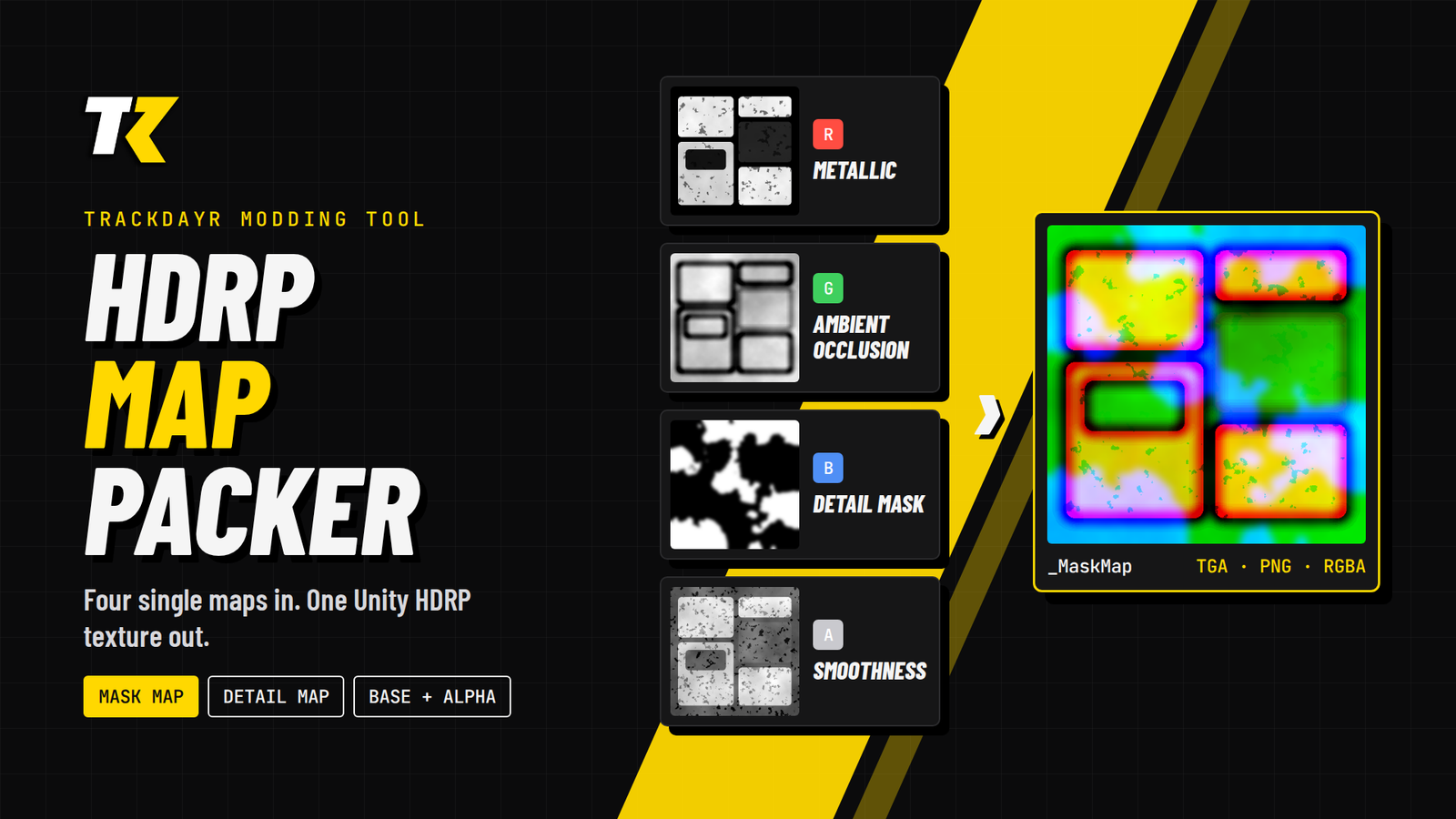
HDRP Map Packer is a small tool for modders who make bikes, gear and tracks for TrackDayR.TrackDayR uses Unity HDRP, and the HDRP/Lit material expects some maps packed into the channels of a single texture. Most texturing tools and freelancers deliver them as separate files, or packed the "Standard shader" way. This tool packs them correctly in a few clicks.WHAT IT DOES- Mask Map: R = Metallic, G = Ambient Occlusion, B = Detail Mask, A = Smoothness- Detail Map: R = Albedo (grey), G = Normal Y, B = Smoothness, A = Normal X- Base + Alpha: RGB = base colour, A = opacity- Saves a 32-bit TGA (optional RLE compression) or a 32-bit PNG, alpha included. Colour channels are kept intact even where alpha is 0.HOW TO USE IT1. Open the tool in your browser (Chrome, Edge or Firefox).2. Drop all your maps on the top bar. They are assigned by file name (metallic, ao, roughness, glossy, smoothness, detail, normal...). Or drop each map on its channel.3. Missing a map? Leave the slot empty and set a constant value with the slider.4. Check each channel in the preview (RGB, R, G, B, A), then click Save.HANDY DETAILS- Roughness maps are inverted to smoothness automatically when the file name contains "rough". Glossiness/smoothness maps are used as they are.- A Unity "MetallicSmoothness" texture is split for you: its red goes to Metallic, its alpha to Smoothness.- Maps of different sizes are resized to the largest one, and the tool tells you.- Reads PNG, JPG and TGA. EXR, TIFF and PSD are not supported: export them as PNG or TGA first.UNITY IMPORT SETTINGS- Mask Map and Detail Map: untick "sRGB (Color Texture)". Keep Texture Type on Default (not Normal map).- Base + Alpha: keep sRGB ticked.- Keep Alpha Source on "Input Texture Alpha".PRIVACYEverything runs in your browser. Your textures are never uploaded anywhere.
1 hour ago